technsave
HDMI Splitter
Couldn't load pickup availability
Quantity:1
Photo is for reference only
HDMI 2.1 Switch Splitter HUB Bi-directional HDR 8K 120Hz 2 in 1 out &1 in 2 out
【HDMI 2.1 Switch Splitter】 HDMI 2 In 1 Out can Smoothly connect 2 HDMI Signal Sources to 1 HDMI Display (HDMI Switcher 2 In 1 Out), or 1 signal source to 2 display (HDMI Switch 1 in 2 out)(Kindly note: CANNOT display simultaneously,Only 1 of the 2 displays works at a time). The hdmi 2 in 1 out splitter can expand HDMI 2.1 ports on your TV and meet the 8K resolution.NO delay and no screen flickers. Easy to toggle between sources visa the push of the switcher button.
【UHD 8K Resolution】2 in 1 out hdmi splitter Supports 8K@60Hz, 4K@120Hz,4K@165Hz/144Hz,and back forward compatible with 2K@240Hz,1080P@240Hz.supports VRR and Dynamic HDR,Chroma 4:2:0 / 4:2:2 / 4:4:4,and supports Dolby Vision,HDR10, HDR10+,eARC,DTS-HD Master Audio,DTS:X.The 2 in 1 out hdmi switch will Bring you a new experience
【Plug and Play】hdmi switch No driver required, just press the button to switch between input source or display and TV, no need to plug and unplug cables, the indicator of hdmi switcher shows active port. Simply connect the device by HDMI cable and press the button on the HDMI switch box to switch smoothly between devices without lag or flicker.
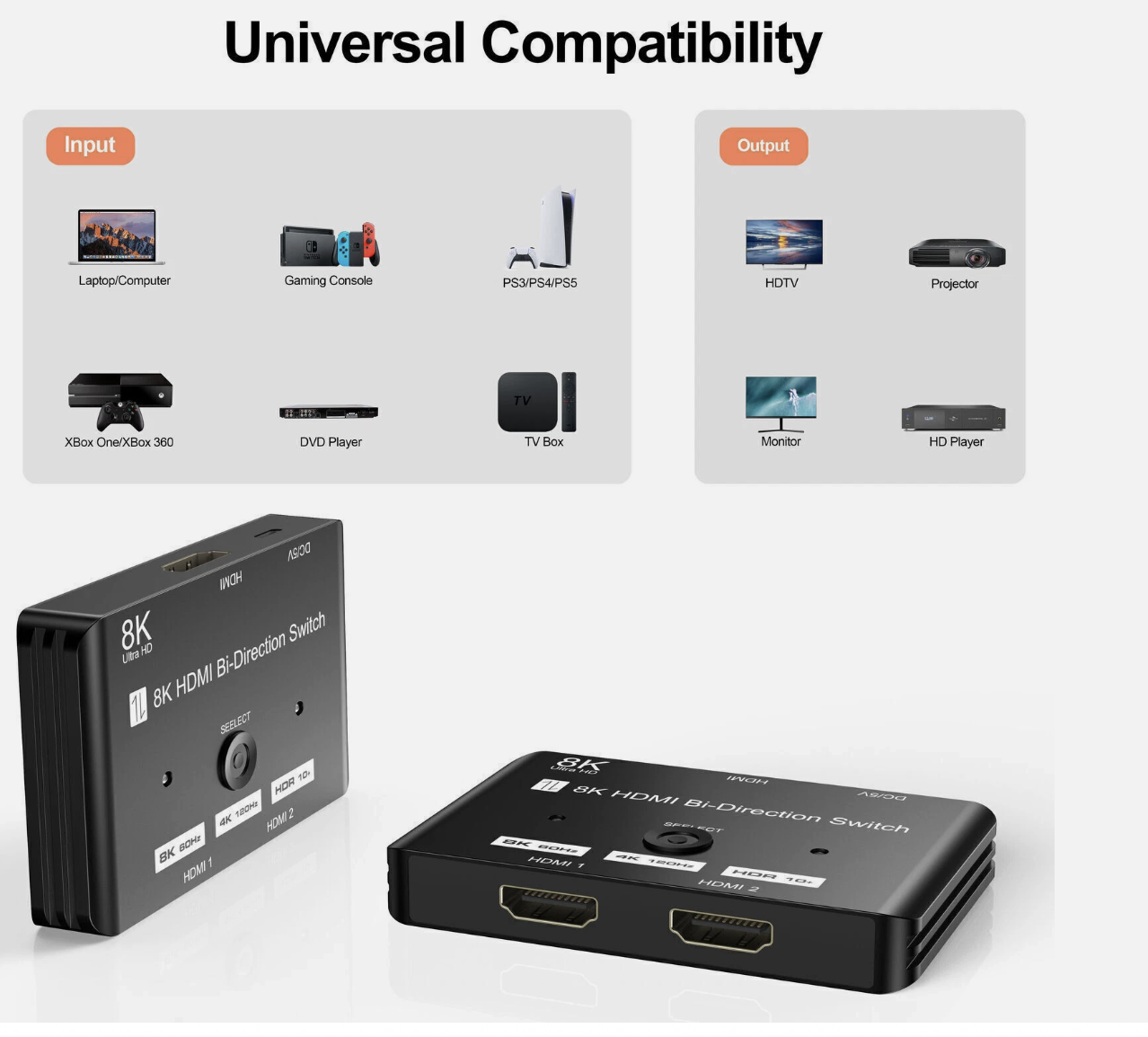
【Broad Compatibility】HDMI Selector Switch is perfect for most devices which have a standard HDMI interface. you can easily and perfectly sync the device content to the display. Input: Compatible with Nintendo Switch, PS5/PS4/PS3/Xbox 360/Xbox One/Xbox Series X/S,computer, Blu-ray DVD player, Roku, Chromecast, FireStick, Laptop,etc. Output: Compatible with HD-Ready or Full HD TVs,monitors,projectors,etc. In Switch mode (works as HDMI Switch), offers 2 HDMI inputs to connect with 1 HDMI display, you can switch between them to avoid the damage of the HDMI display caused by plugging and unplugging the HDMI cable.
1. Connect the signal hosts(for example: PC, PS4) to the 2 HDMI input ports (HDMI cables are not included).
2. Connect the hdmi switch to a display (TV or Monitor), please remember to set the signal source to HDMI.
3. Press the “select” button to select the signal host manually.
In Splitter mode (works as HDMI Splitter), offers 1 HDMI device with 2 external HDMI displays. (only 1 display can be displayed at a time).
1. Connect the signal hosts(for example: TV Box or Stick) to the 1 HDMI input ports (HDMI cables are not included).
2. Connect the hdmi switch to the displays (TV & Monitor), please remember to set the signal source to HDMI.
3. Press the “select” button to select the signal host manually.
TA1888- WW-US-8K60HZ HDMI SWITCH with DV 5V 描述2.jpgUsage tips:
1.Please use a 5V power supply to connect the power cable (included) for stable and fast transmission
2. In order to achieve ultra-high quality signal transmission, we recommend using high-quality HDMI 2.1 cables
3.The hdmi switch 8k cannot be automatically switched, it only supports switching by manually pressing the button
4.Disconnecting one HDMI signal source will not automatically switch to the other signal source
5.The hdmi 2.1 switch is your solution, seamlessly connecting 2 video sources to 1 monitor
6.If you encounter flickering issues, please try the 8k hdmi splitter with an 8K or certified HDMI cable, please less than 1M
The hdmi 2.1 splitter is not compatible with the Asus ROG Strix 2K game monitor
Package includes:
1 x HDMI 2.1 Switcher
Share